Summary
Press ALT + Q e digitare “ECU” for a summary of the features:
 - sommario/01WithhTaxCertUniche-EN.png)
Setup
In the Setup page select the official layout for printing among those preloaded on the system.
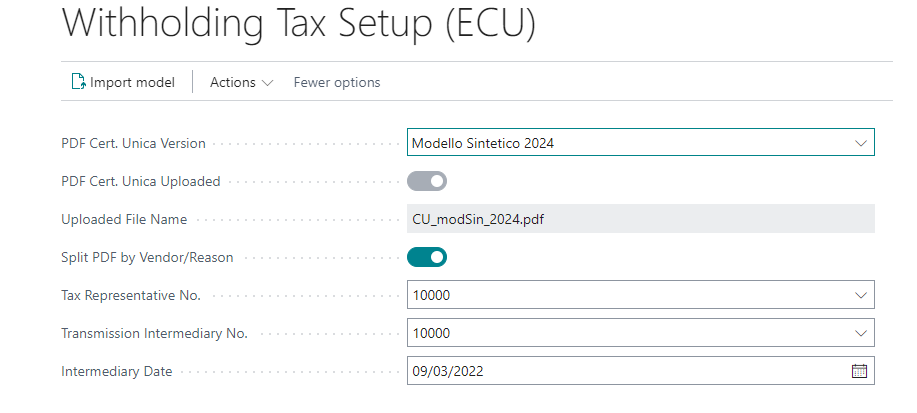
| Field | Description |
|---|---|
| PDF Cert. Unica Version | choose the official form to be used (downloaded from the Cloud) |
| PDF Cert. Unica Uploaded | it is automatically activated by the system |
| Split PDF by Vendor/Reason | if enabled the pdf will be filtered by vendor |
In the “Withholding Tax Certificates Setup (ECU)” page, two actions are available:
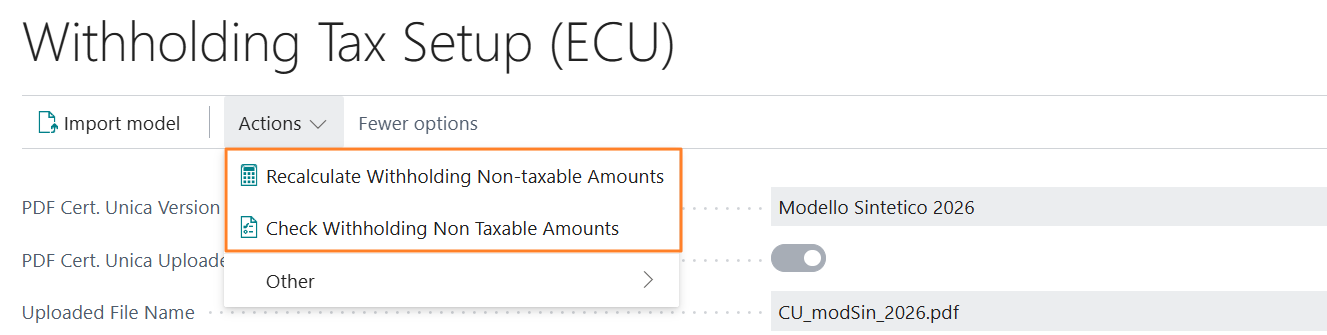
Recalculate Wihholding Non-taxable Amounts used to realign situations where the ECU detail tables for non-taxable amounts are inconsistent with the original data.
Check Withholding Non Taxable Amounts analyzes all processed withholding entries and checks that the standard field is consistent with the sum of the amounts in the ECU detail tables. If inconsistencies are found, it generates an Excel file listing the documents with mismatches, which is useful to identify where to intervene before running the recalculation.
Company information
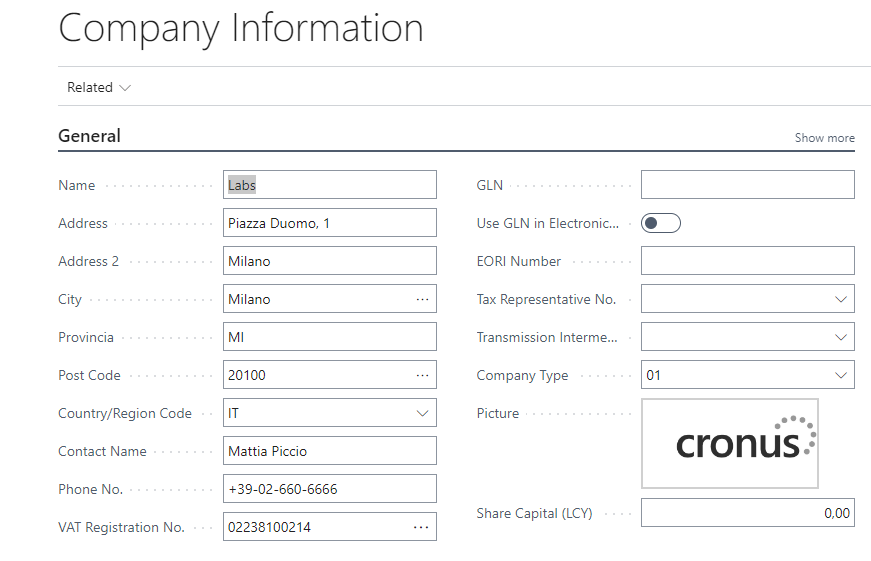
In order to export the personal data of the company and the people connected to it to the form, the Company information setup must previously be completed in the General tab and in Related->Officials.
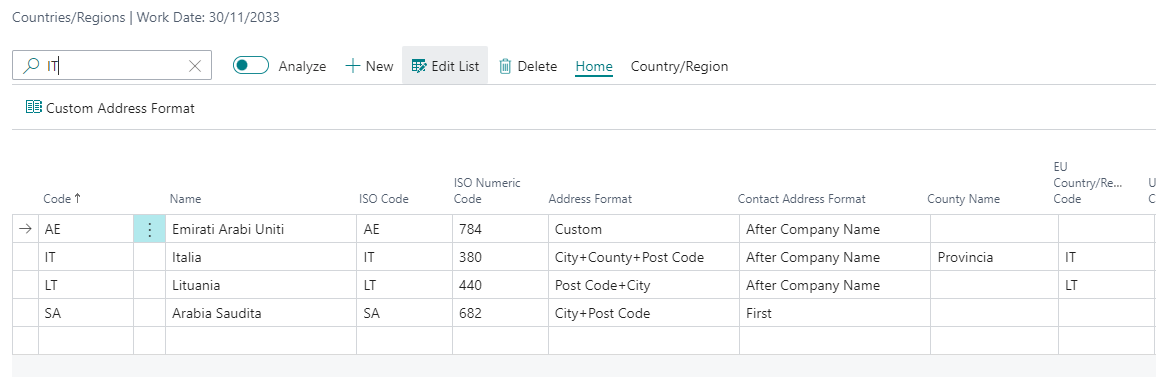
IMPORTANT:
in order for the “Province” field to be shown in Company information, on the COUNTRIES page you must set the address format as “City+County+Post code” to IT
Subsequently, by opening the Company Information page, the "Provincia" field will be visible (possibly reopen the page if already open).
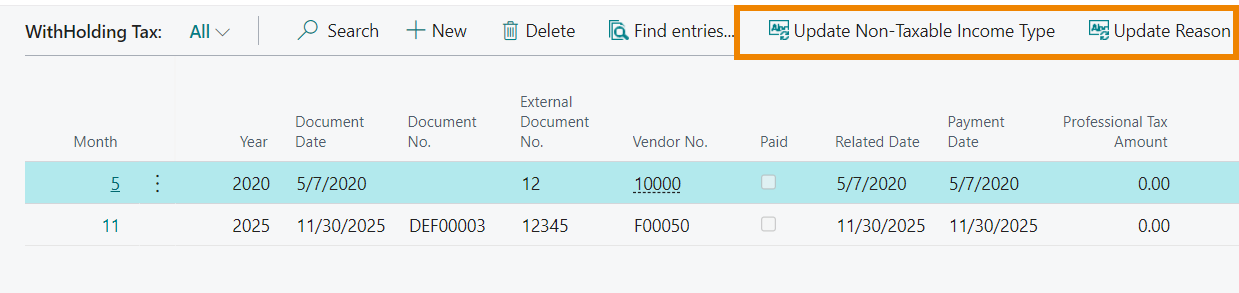
Massively update the “Non-Taxable Income Type” field and the “Reason” field
On page WithHolding Tax it is possible to massively update the “Non-Taxable Income Type” field and the “Reason” field:
Feedback
Was this page helpful?
Glad to hear it! Please tell us how we can improve.
Sorry to hear that. Please tell us how we can improve.