Setup
Basic configurations to enable the app’s functionality
Thanks to the Customer Test Suite App (CTS) it is possible to assign, plan, run and report different tests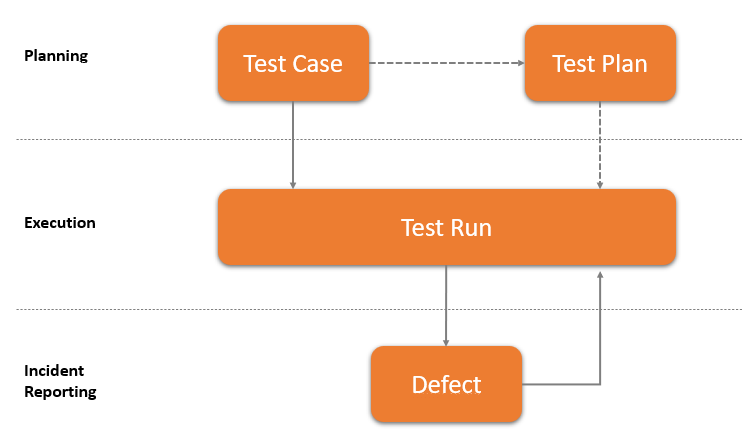
| 1 | Create tests to assign |
| 2 | Group tests by scope |
| 3 | Describe and execute tests with a step by step guide |
| 4 | Describe test failures with a defect |
Some features of this app require a subscription.
The subscription can be activated from Subscription control panel page or directly from the notification messages that the system proposes, by clicking on the link that allows you to start the subscription wizard.
In details:
See https://www.eos-solutions.app/ website for more information.
Basic configurations to enable the app’s functionality
Define, assign and group test cases
Execute tests defined in case and plan tests
Reports defects and incidents
Was this page helpful?
Glad to hear it! Please tell us how we can improve.
Sorry to hear that. Please tell us how we can improve.